
Insight: Learning with Sentry Replays

Problem
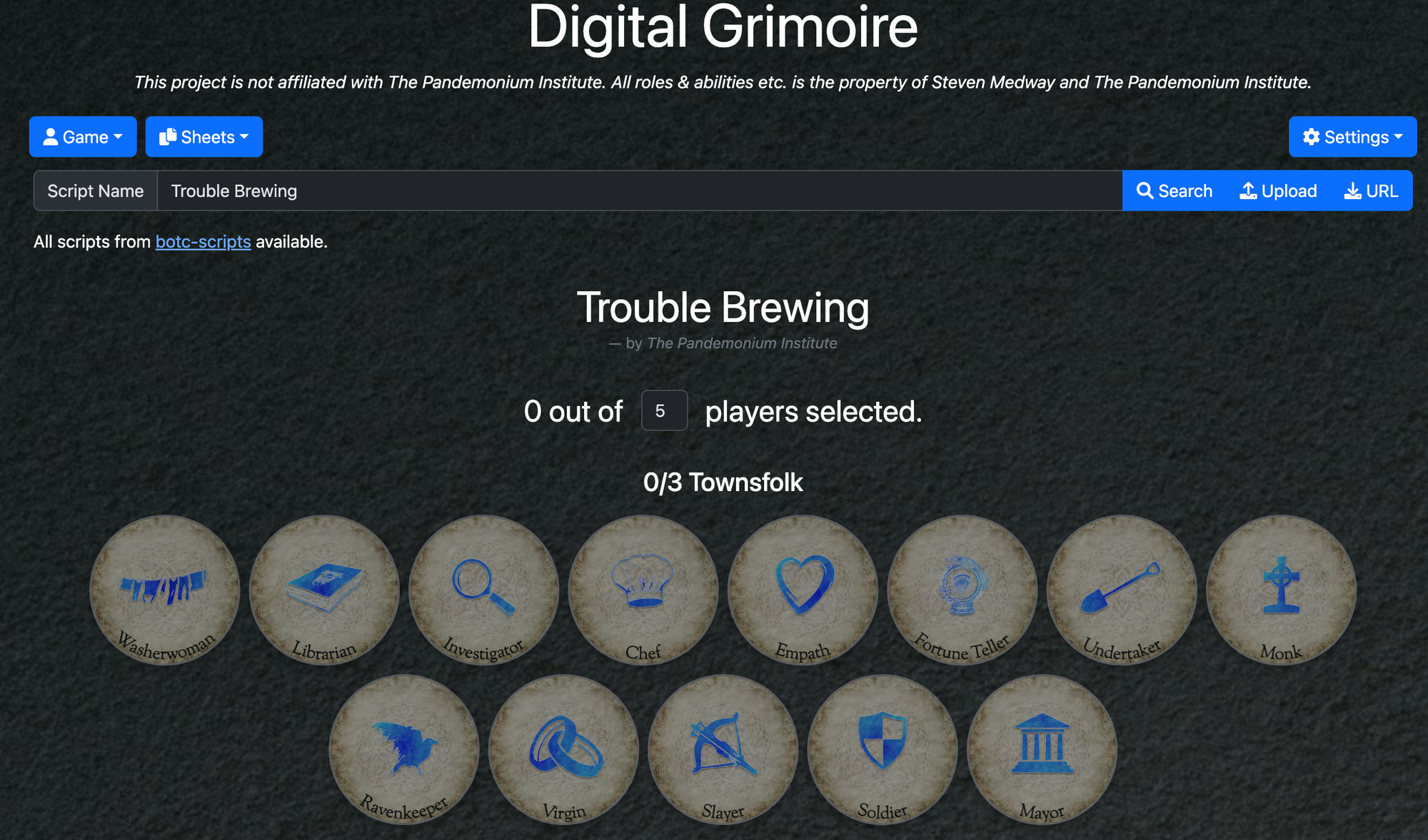
Early on in the development phase of the Digital Grimoire, the UI looked a lot different than it does today. The original version of the site had a unified search bar with buttons at the ends for loading from file or from a URL.
How I had imagined this bar would work was people would type in it to search for custom scripts, and if they wanted to load from a file or URL, they would click the 'Upload' or 'URL' button.
Error Reporting with Sentry
What I saw however was a lot of users were encountering errors and using the search bar a bit differently than I had planned. From the sentry replays I could see that users were pasting URLs into the search bar, and sometimes full JSON objects, and then receiving an error message that their search term was invalid.
In hindsight this should have been obvious to me that this is how people would try to use it. The expected experience being that you put something in the search bar and then click the associated button, 'Search' to search by script name, 'URL' to fetch from the pasted URL and 'Upload' to load the JSON you've pasted in.
Nobody contacted me via Discord to express their frustrations about this confusing experience, but I could see from the Sentry errors and replays that there were many users having the same confusing and frustrating experience.
Solution
It was clear to me that the user experience for how to get a script ready had to change, and that the user interface should instead make it clearer how to perform the various different actions.
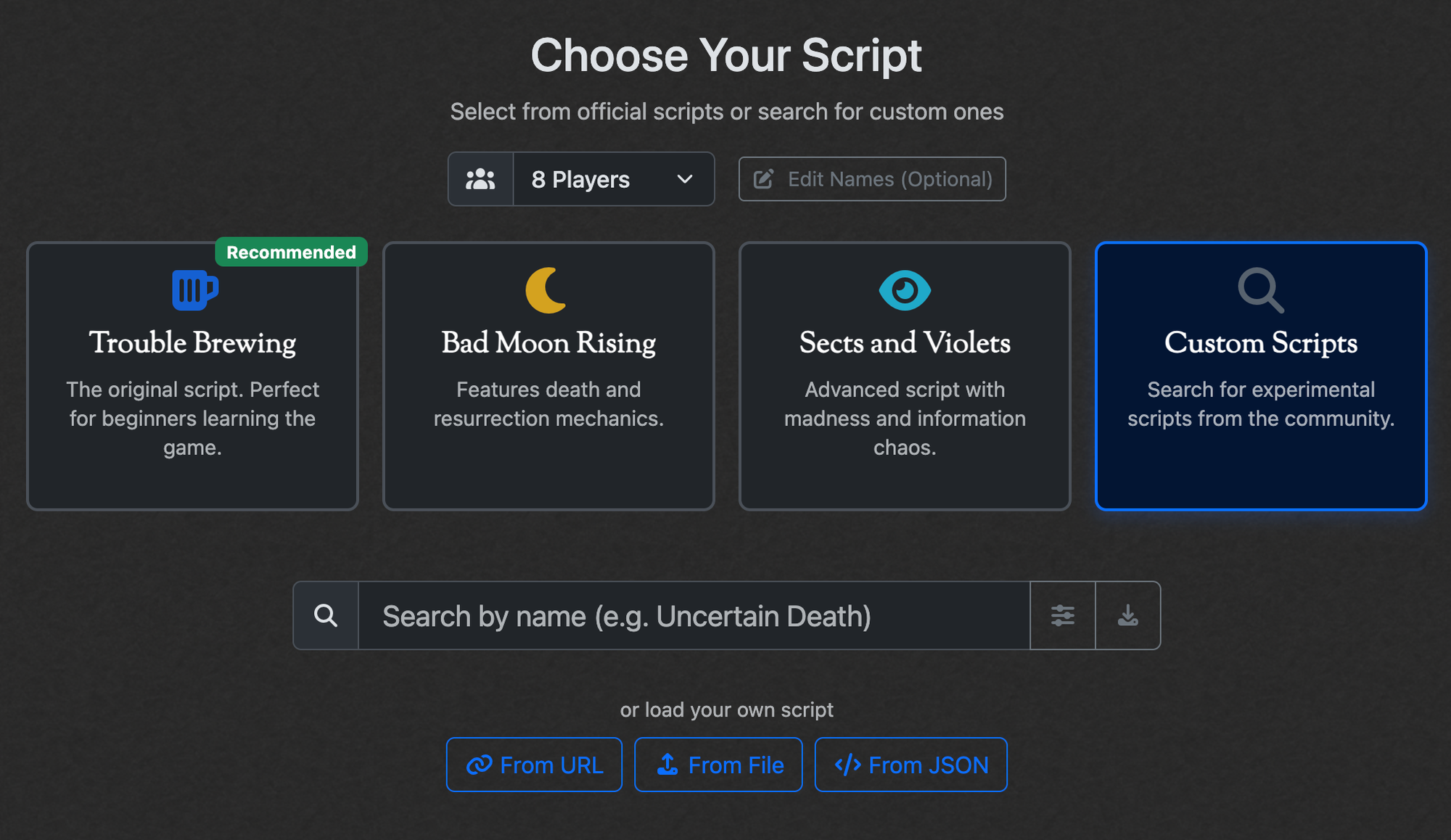
That is how I ended up with the new interface you see above. I added individual buttons to load the base 3 scripts, and a dedicated 'Custom Scripts' button for when the user wants to play a custom script. A clear placeholder text that guides the user to search by name, and separate buttons away from the search bar to load a script from URL, from File or from JSON.
Result
As soon as I released the new interface, the number of search errors due to users entering unforeseen data into the search bar practically vanished. The intended use of the search bar was a lot clearer and guided users towards success rather than search error messages and a frustrating and confusing experience.
Conclusion
As a developer, this experience really taught me the importance of gathering metrics to learn how users actually user your application, versus how you intended they do. What surprised me the most was that none of the people who experienced the frustrating experience reached out to tell me what they had gone through. That being said, I'm happy I had a logging framework in place so that I could pro-actively fix the problem and improve the users experience, without them ever asking me to.